Step 1:
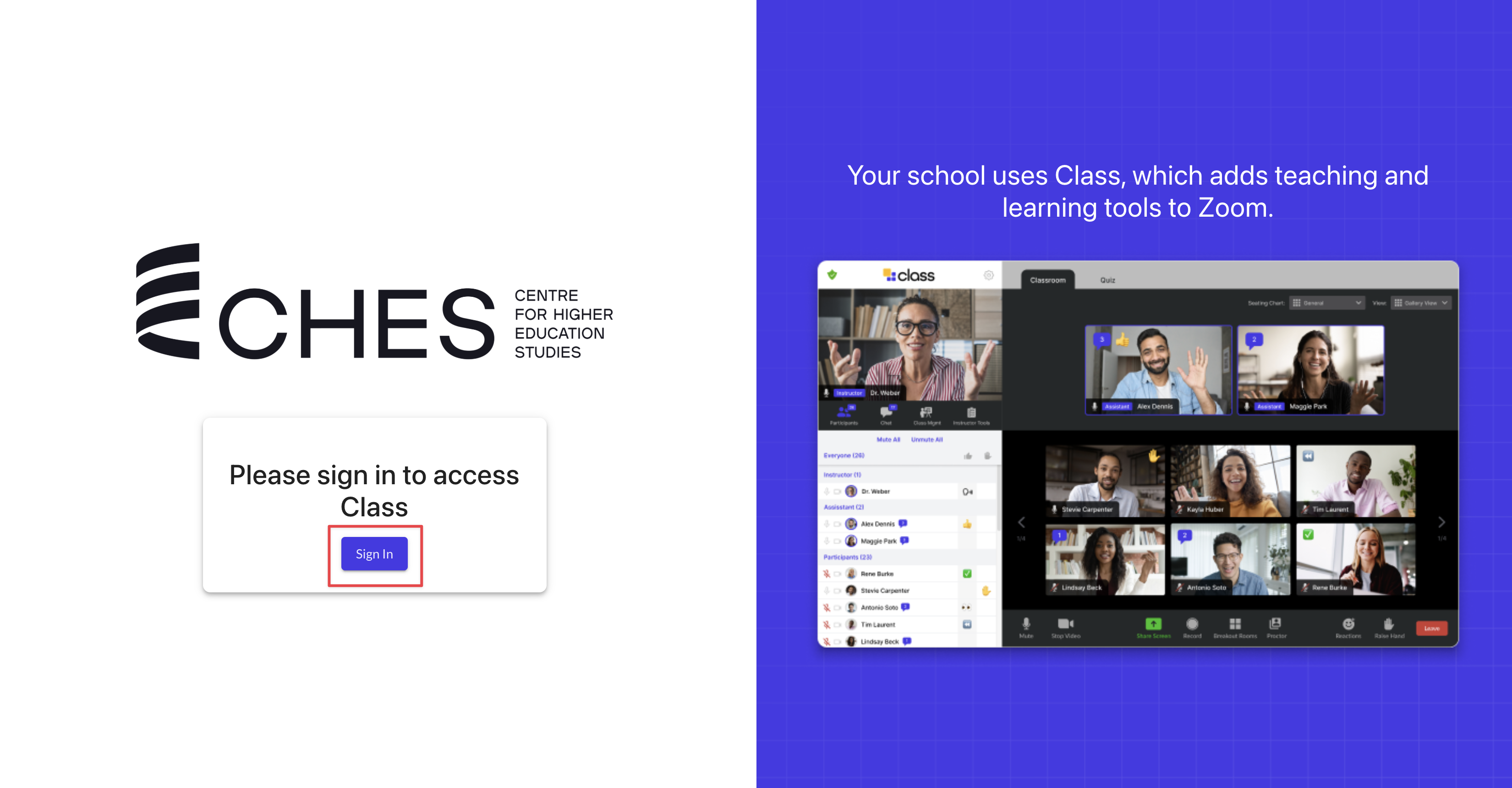
Visit https://chesvic.class.com and click Sign In
Step 2:
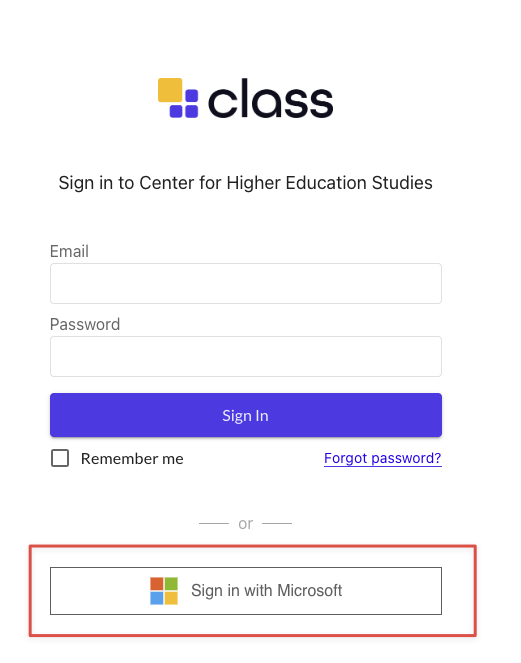
Click Sign in with Microsoft
Do not use the email and password fields at the top of the page. They will not work.
Step 3:
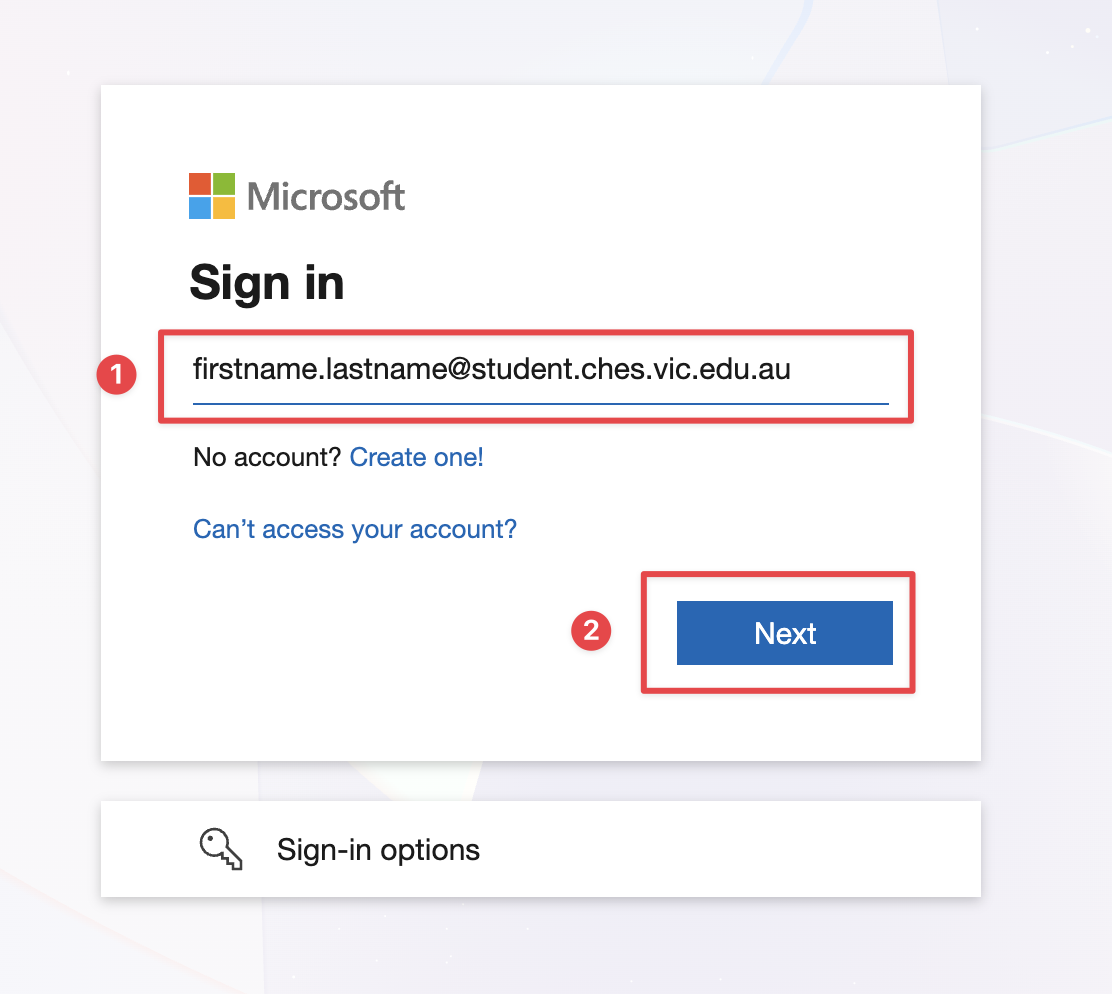
Enter your CHES email address and click Next
Step 4:
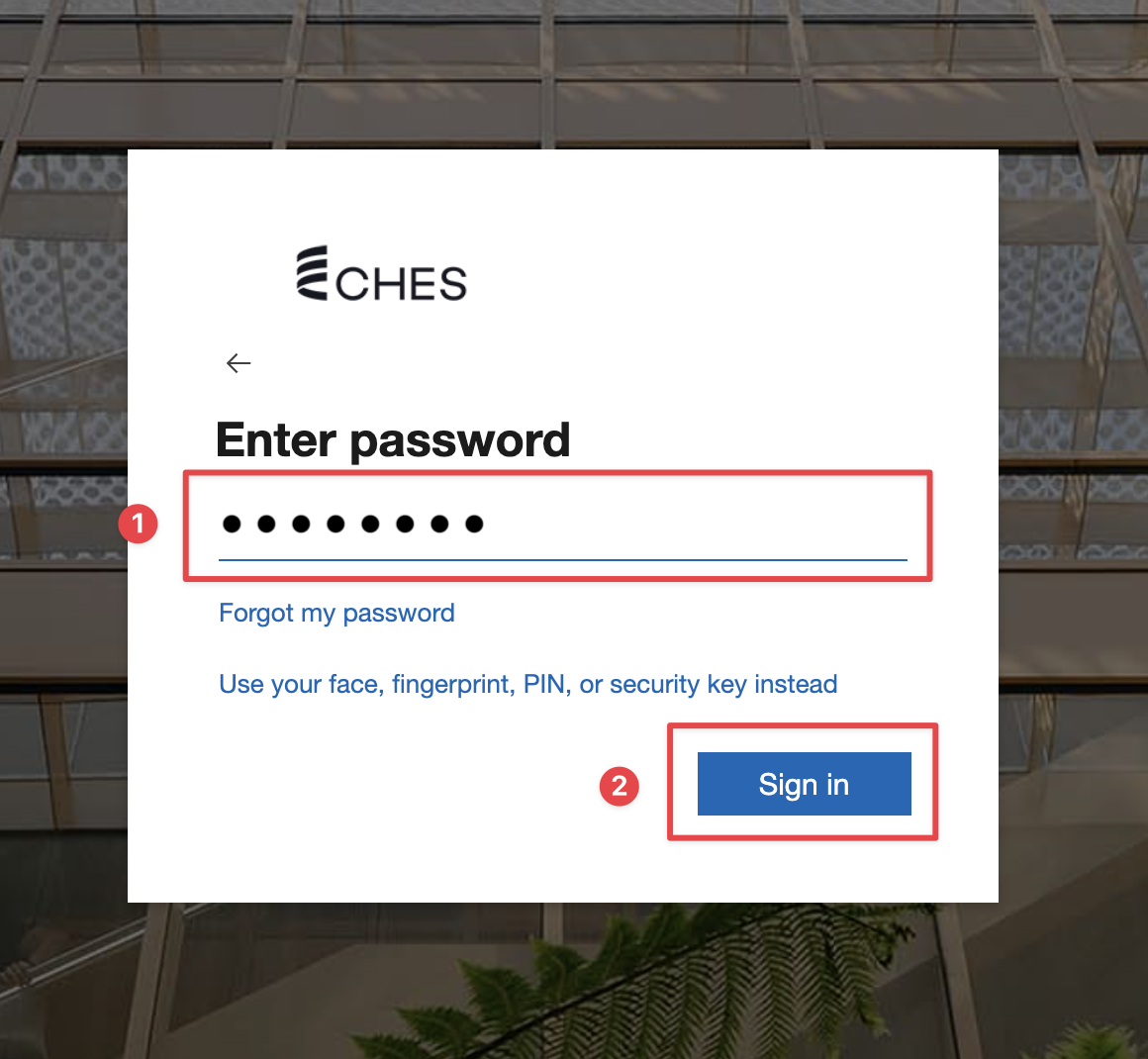
Enter your CHES password and click Sign In
Note: At this step, you may be required to use your Microsoft Authenticator app to approve your sign in.
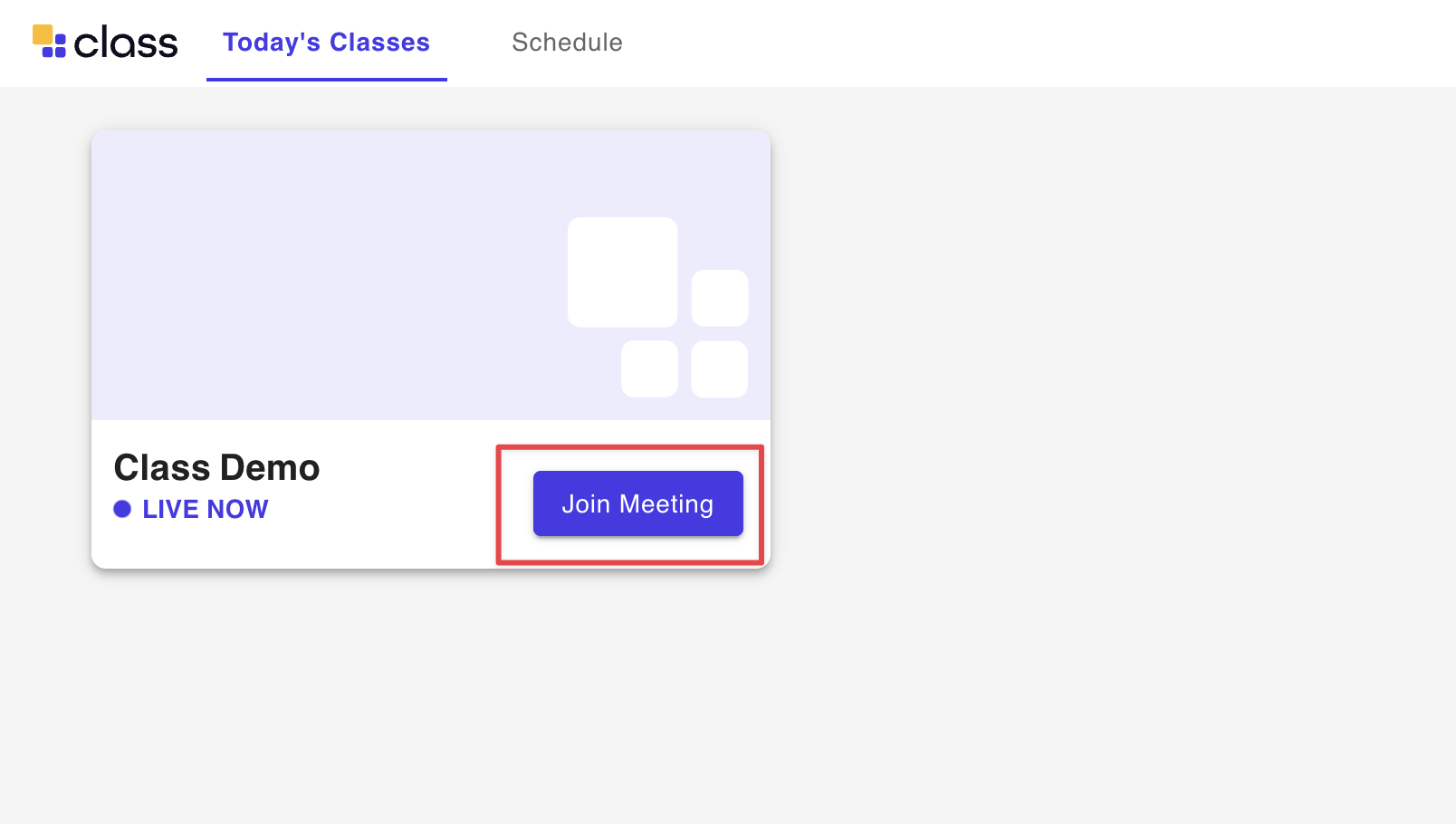
Step 5:
Find your class on the home page and click Join Meeting
Was this article helpful?
That’s Great!
Thank you for your feedback
Sorry! We couldn't be helpful
Thank you for your feedback
Feedback sent
We appreciate your effort and will try to fix the article