To sign into ClickView, you will need your Department of Education provided account.
For staff, this is your @education.vic.gov.au email address. For students, this is your @schools.vic.edu.au email address. ClickView does not work with your CHES account.
Students, if you do not know your @schools.vic.edu.au email address or password, please see IT support at your base school.
Step 1:
Visit https://clickview.net
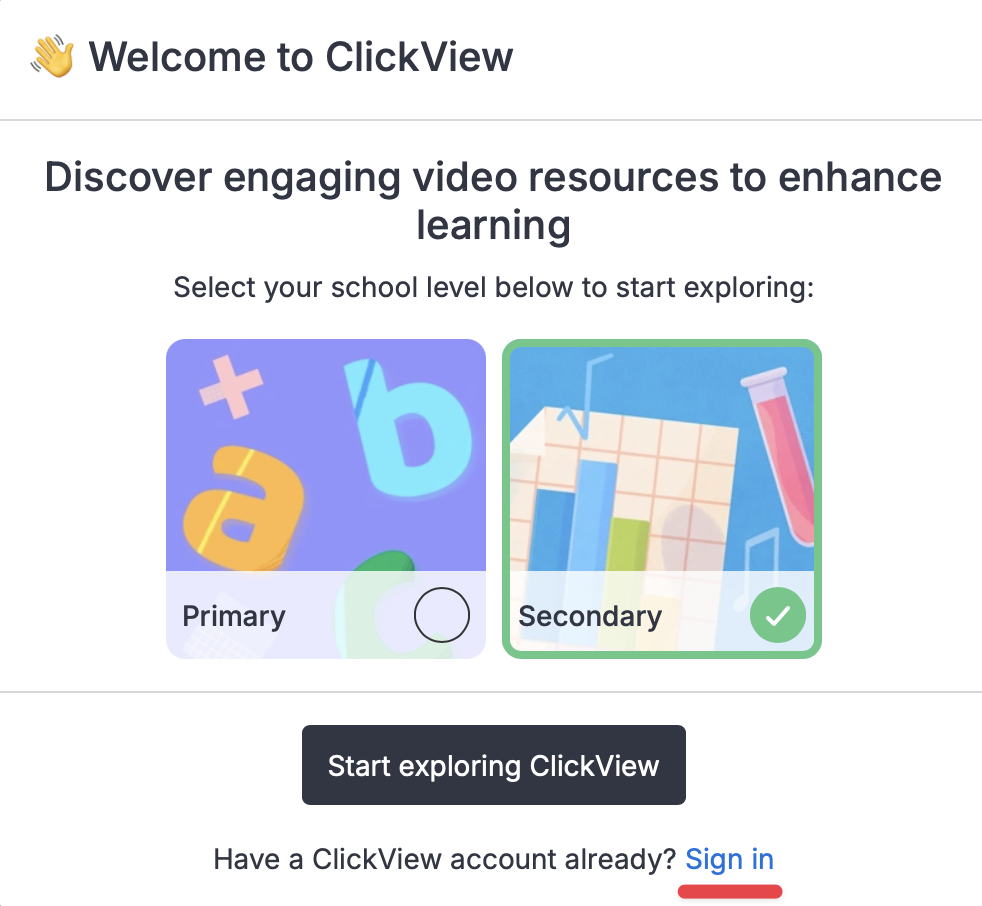
Step 2:
In the pop up, click Sign In
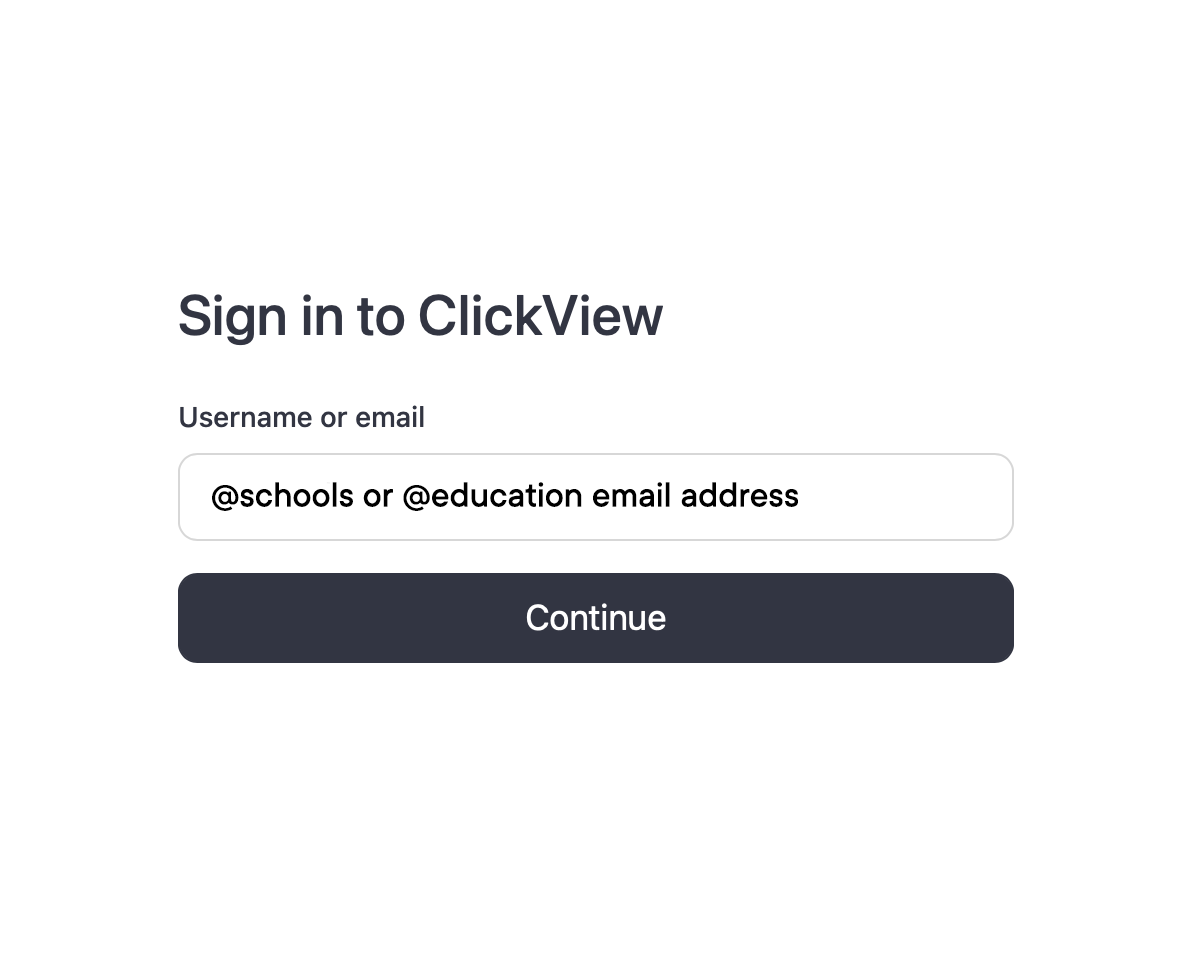
Step 3:
Enter your @schools or @education email address and click Continue
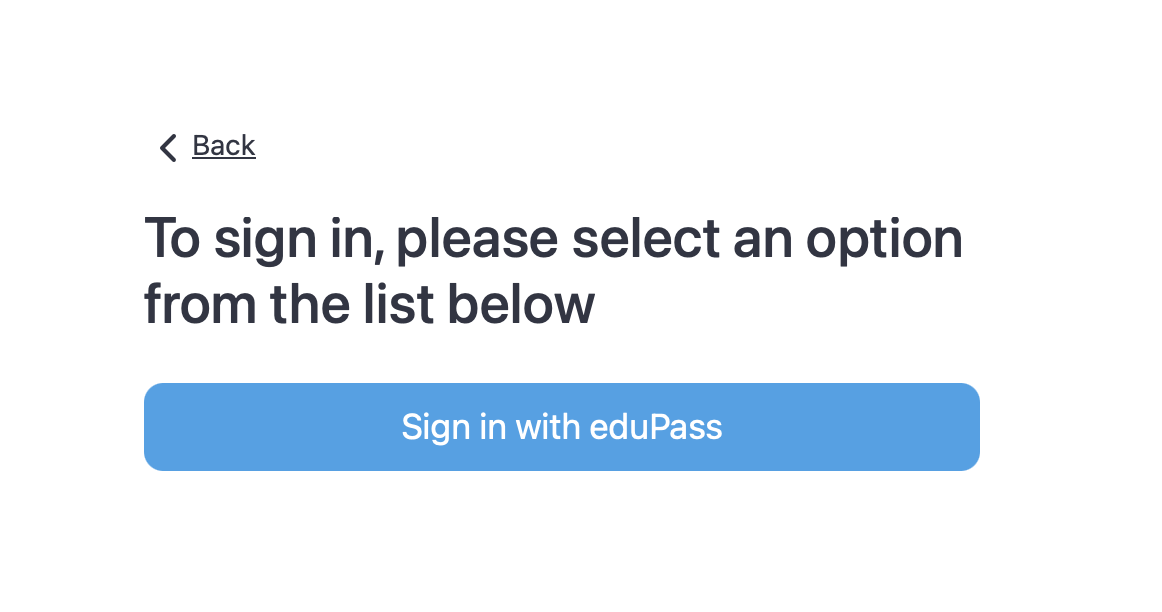
Step 4:
Click Sign in with eduPass
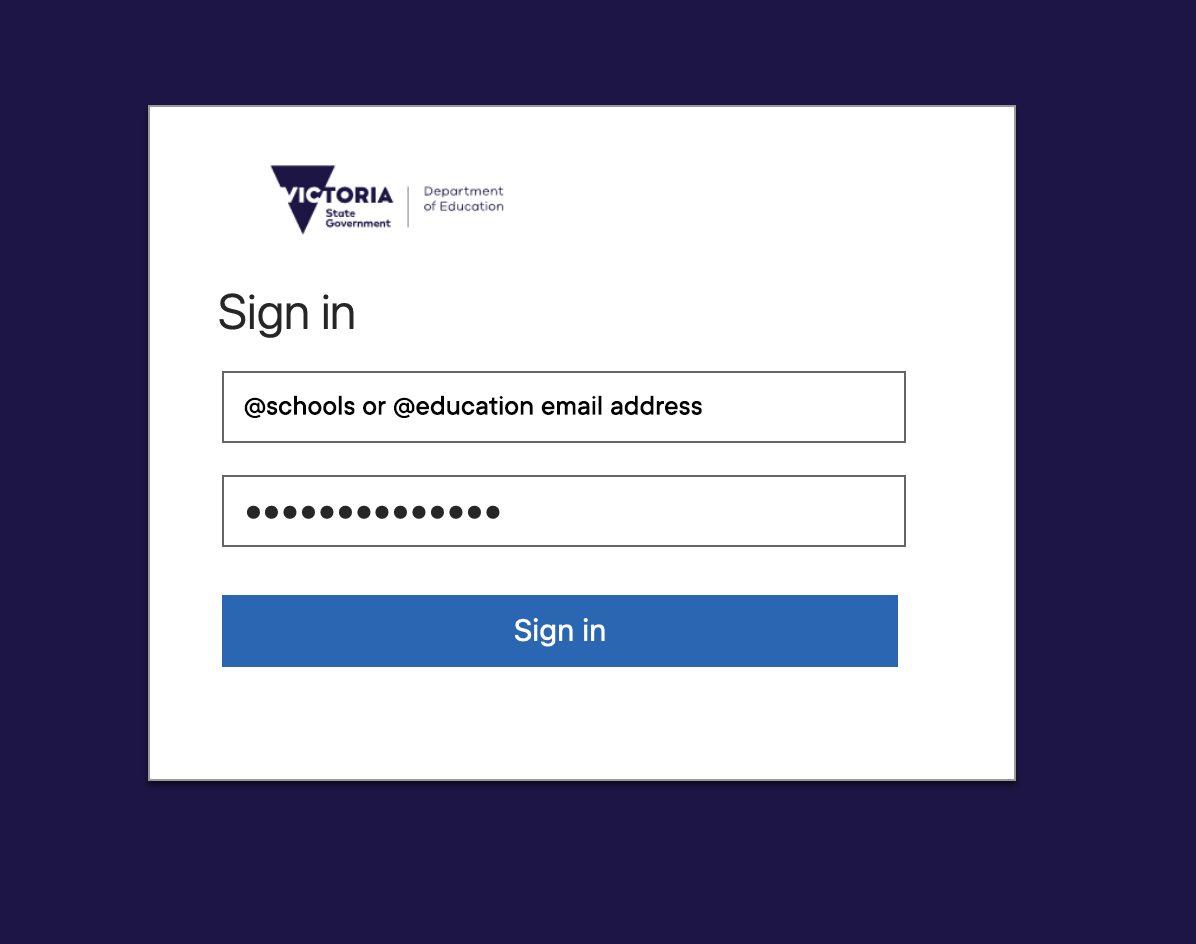
Step 5:
Enter your @schools or @education email address and password and click Sign In
You will now be signed into ClickView
Was this article helpful?
That’s Great!
Thank you for your feedback
Sorry! We couldn't be helpful
Thank you for your feedback
Feedback sent
We appreciate your effort and will try to fix the article