Step 1
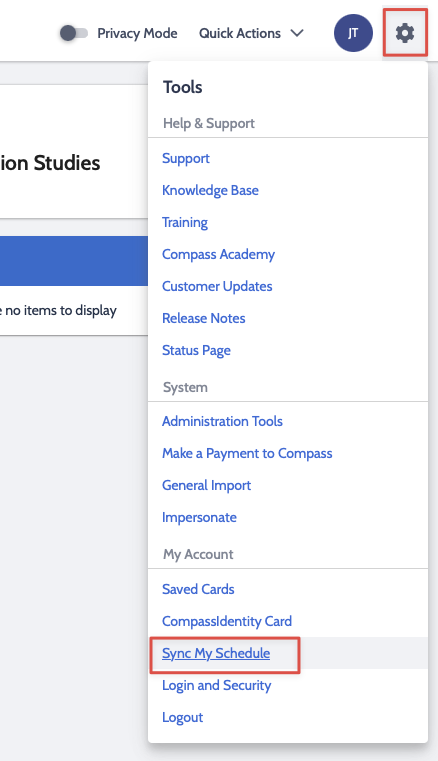
Log into Compass, click on the gear in the top right corner and click Sync My Schedule
Step 2
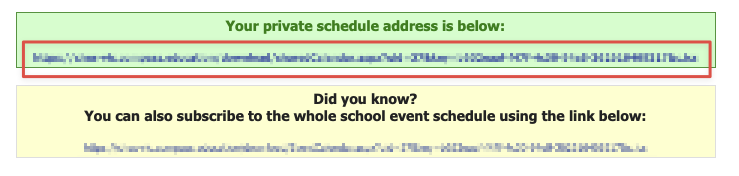
Scroll down and click on the link in the green Private Schedule box. This will download a file to your computer
Step 3
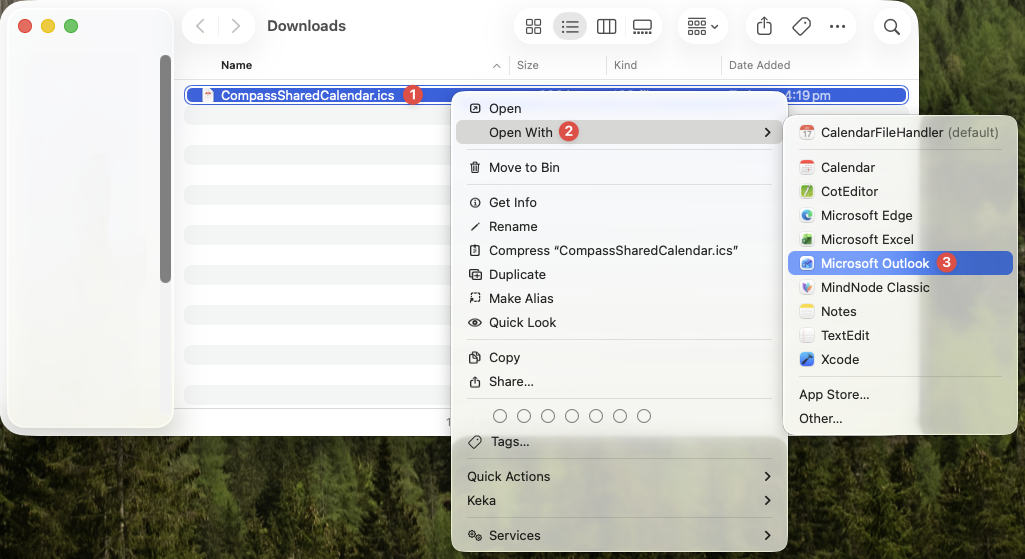
Open your Downloads folder and find the 'CompassSharedCalendar' file that was just downloaded, right click on it, and go to Open With > Microsoft Outlook
Step 4
Select the Calendar to import to. This should be the one called 'Calendar' for your CHES account.
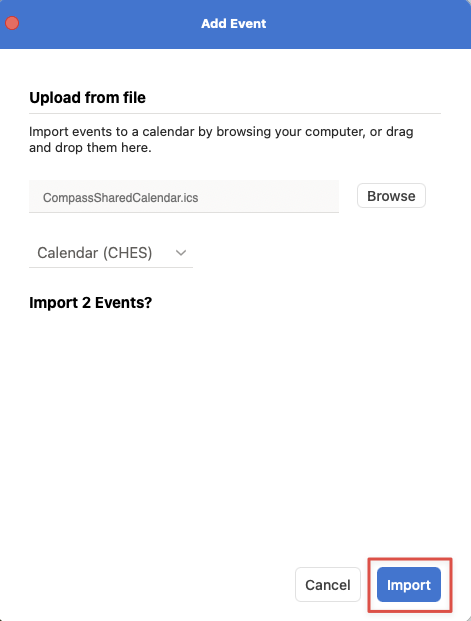
Your Compass calendar entries will now appear on your calendar. Remember this is a one time import and any future changes in Compass will not be reflected in your Outlook calendar.
Was this article helpful?
That’s Great!
Thank you for your feedback
Sorry! We couldn't be helpful
Thank you for your feedback
Feedback sent
We appreciate your effort and will try to fix the article