Step 1
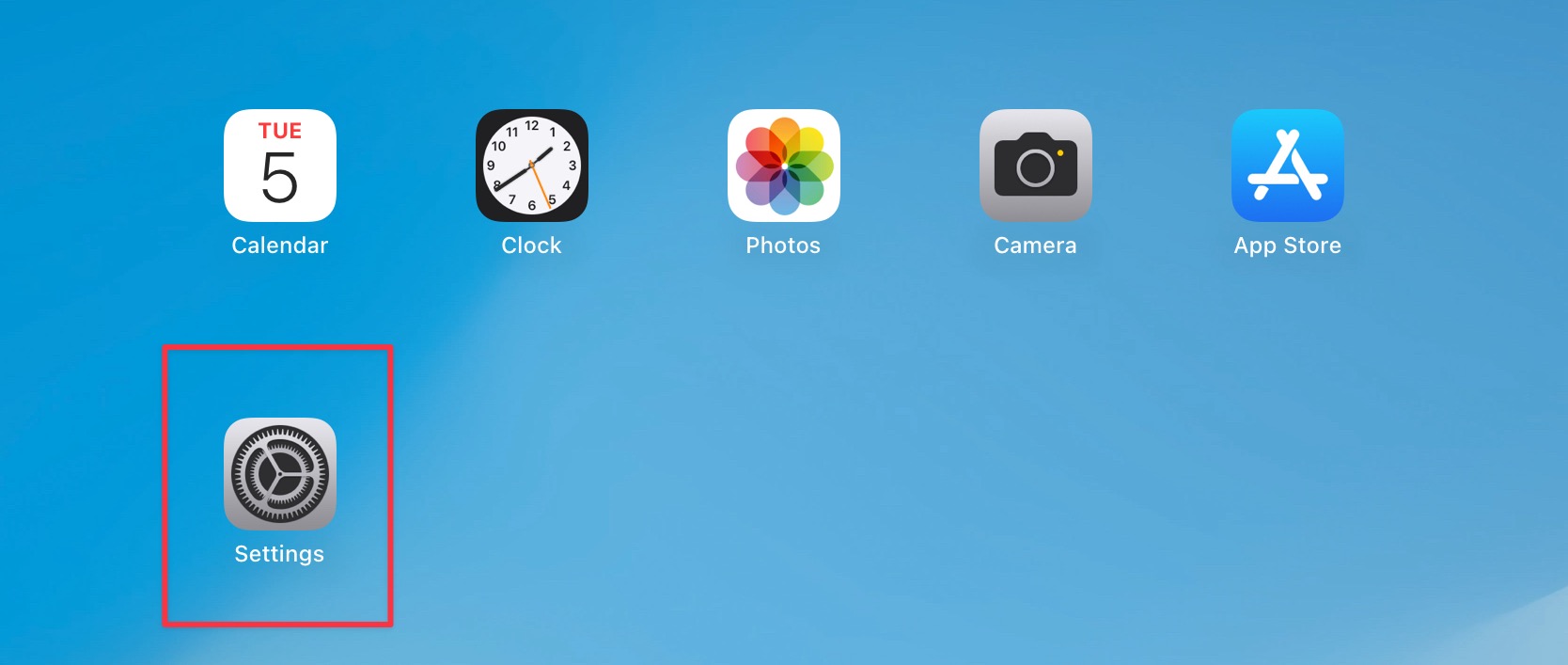
Open the Settings app
Step 2
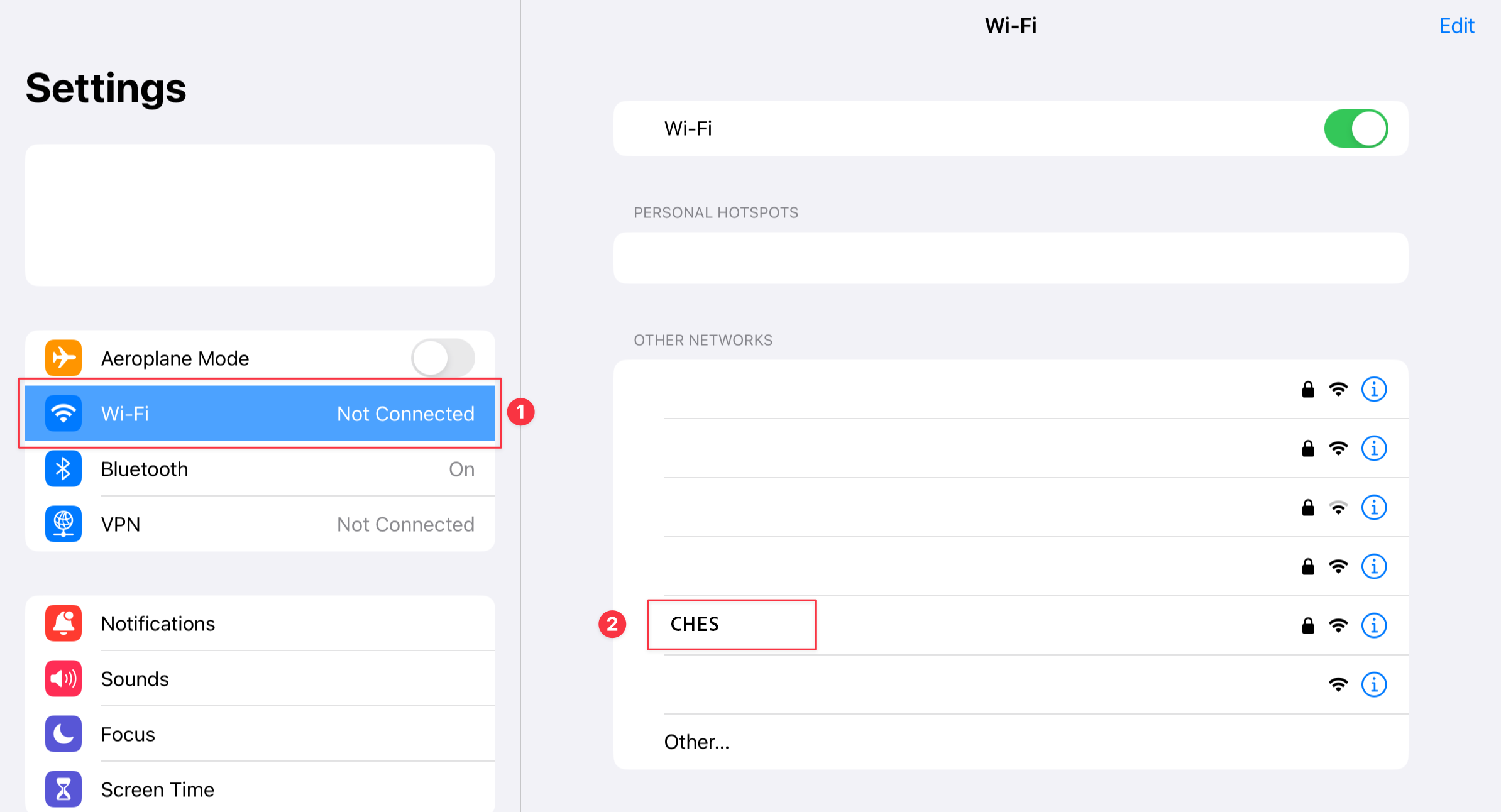
Tap on Wi-Fi then CHES
Step 3
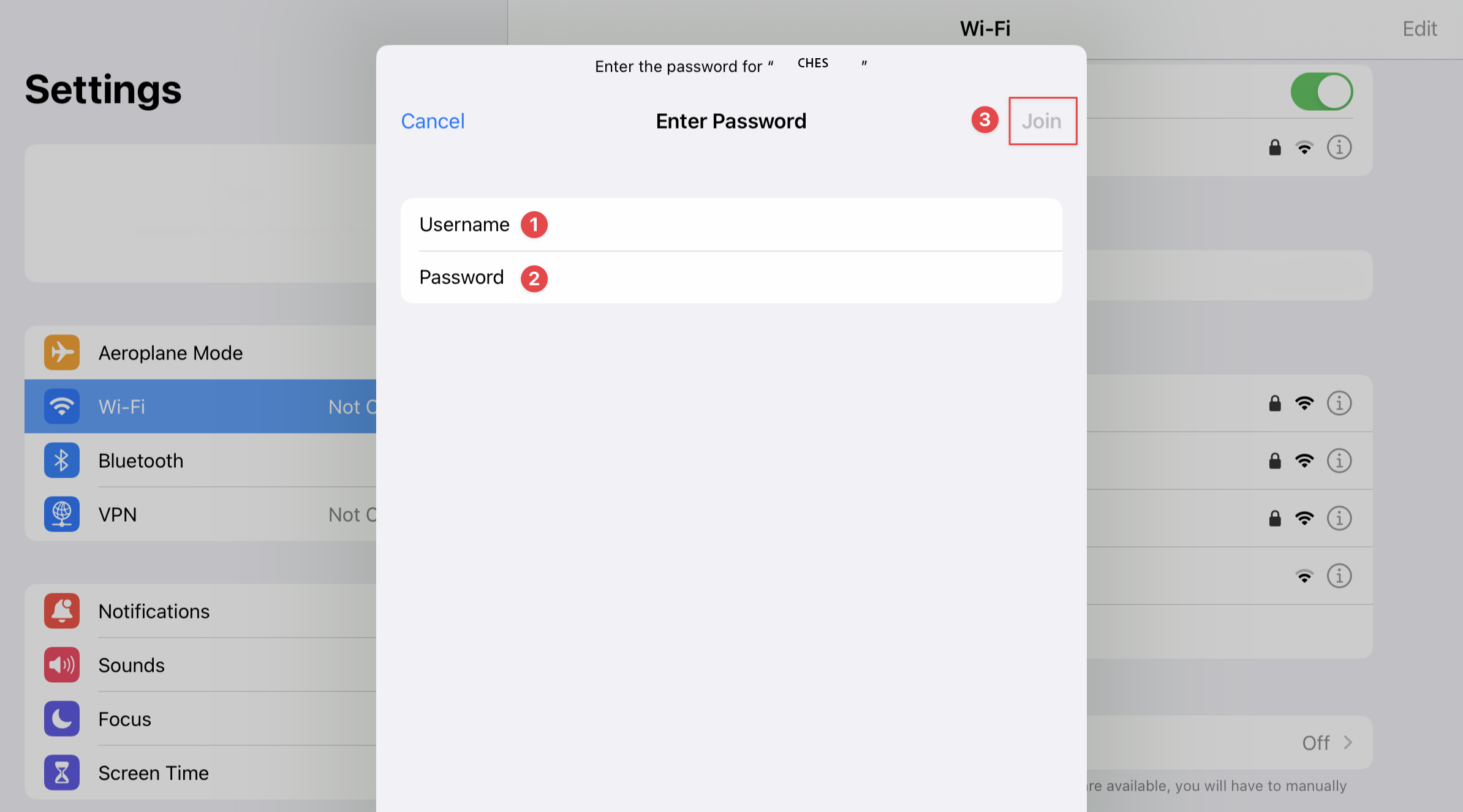
Enter your CHES email address and password then click Join
Step 4
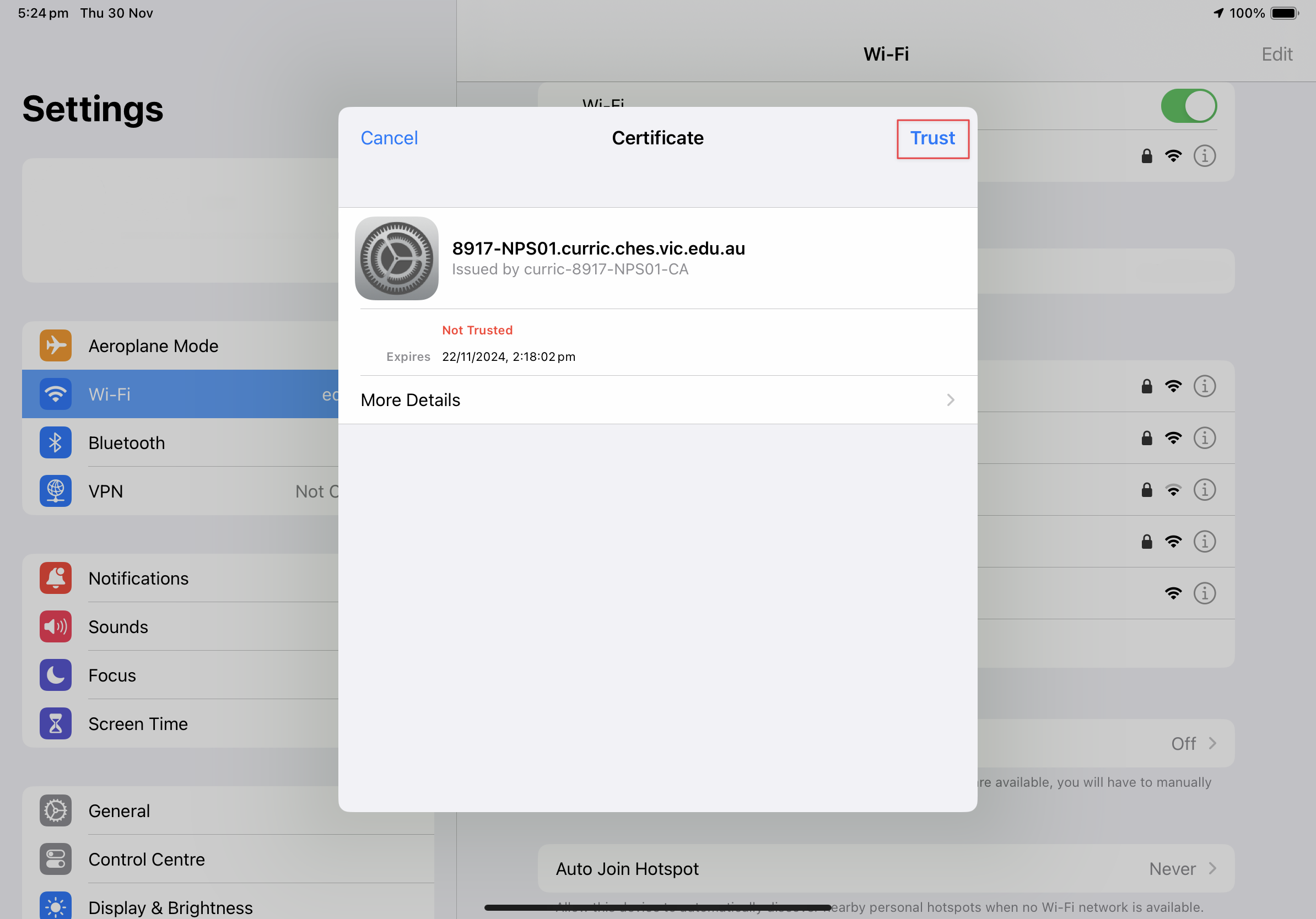
Tap Trust
Was this article helpful?
That’s Great!
Thank you for your feedback
Sorry! We couldn't be helpful
Thank you for your feedback
Feedback sent
We appreciate your effort and will try to fix the article